Mobile Application Release Notes v3.4.0
2026.4.14
Smarter Lock Management
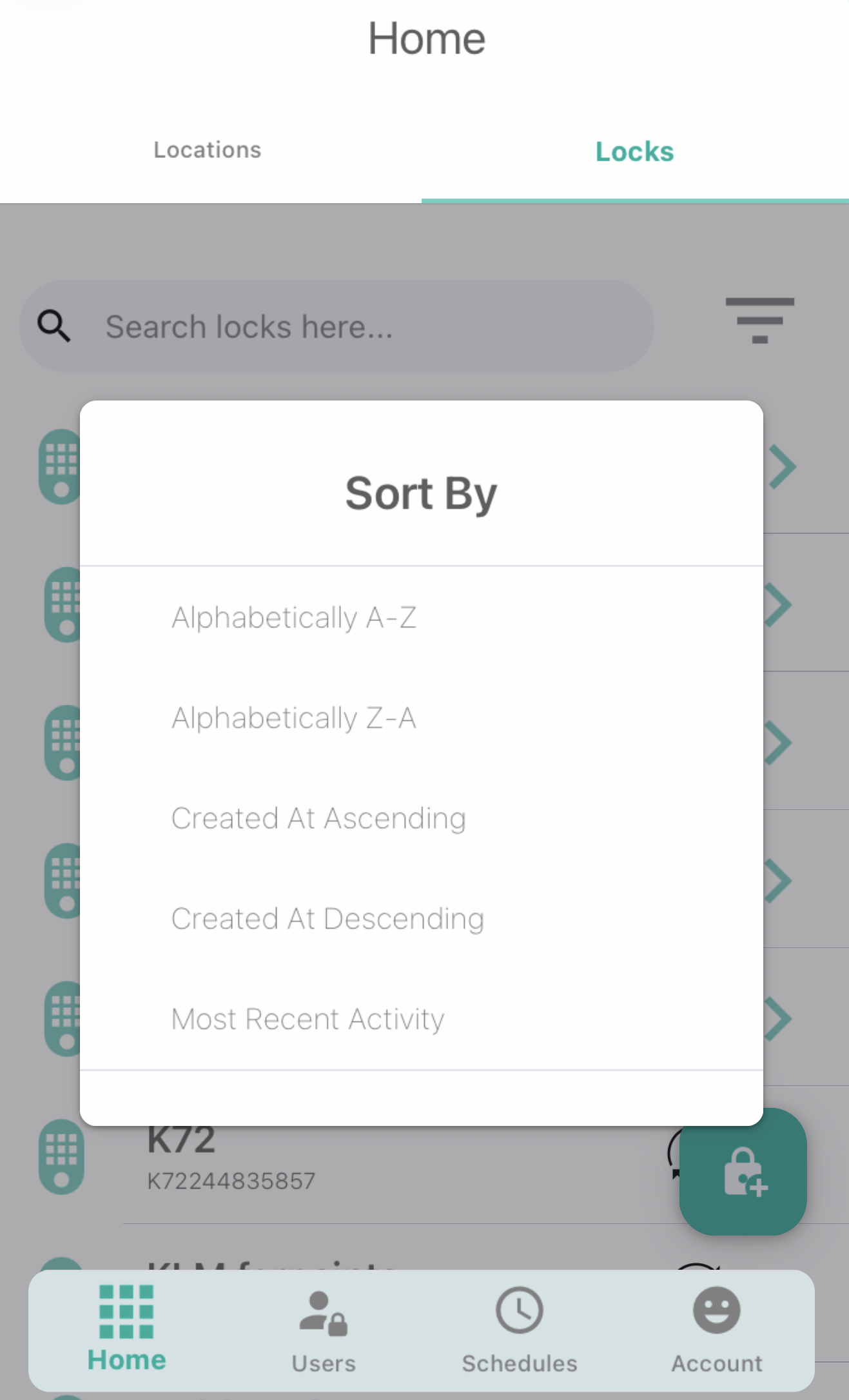 Lock Filters
We’ve added new filtering options to help users quickly sort and organize their lock lists, especially helpful for larger deployments. Available filters include:
Alphabetically A–Z
Alphabetically Z–A
Created At (Ascending)
Created At (Descending)
Most Recent Activity
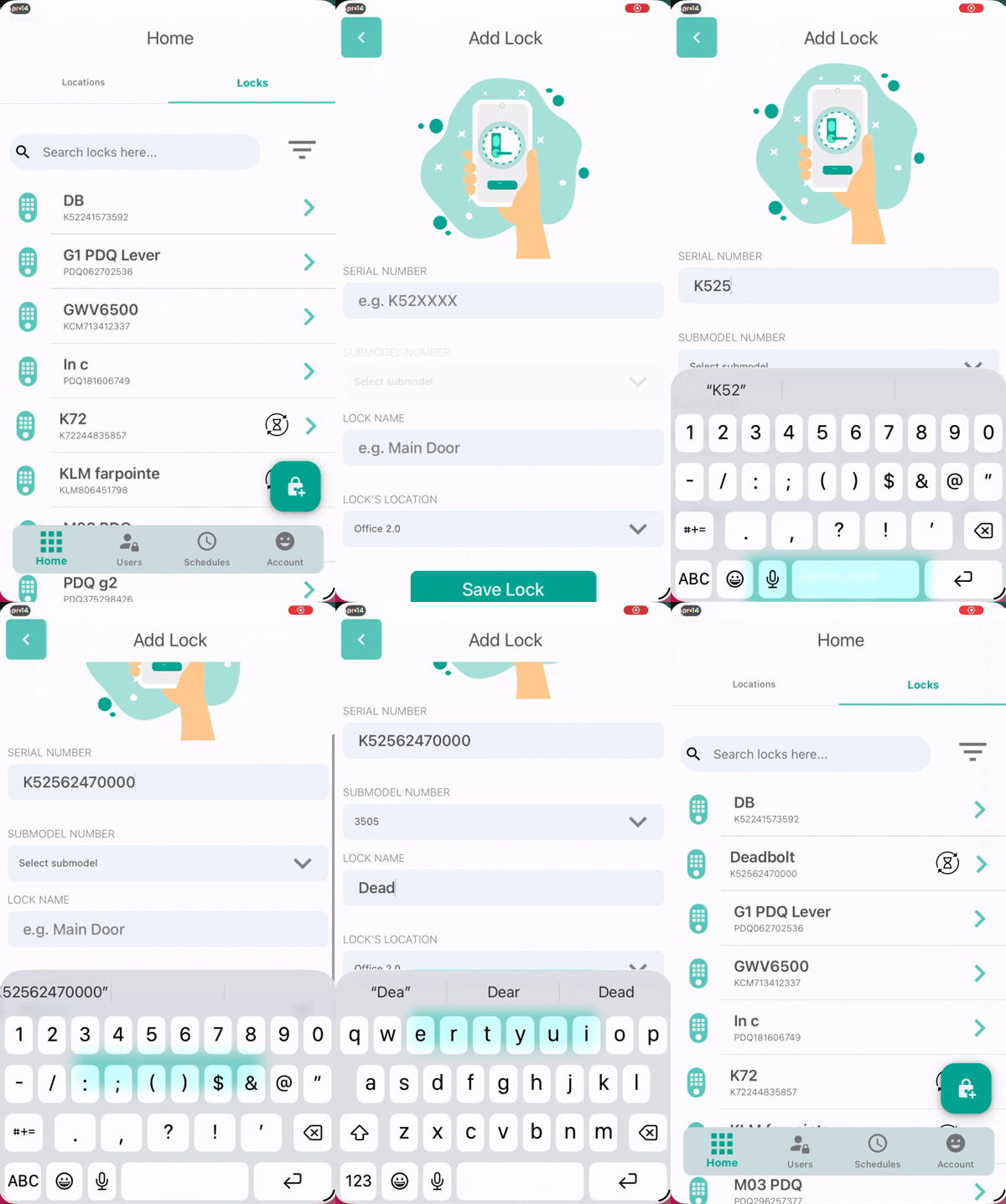
Add Lock Manually
Account holders can now add a lock to their account without being within BLE range. This makes remote onboarding and pre‑deployment setup possible.
Enhanced Access Control
Auto‑Lock Settings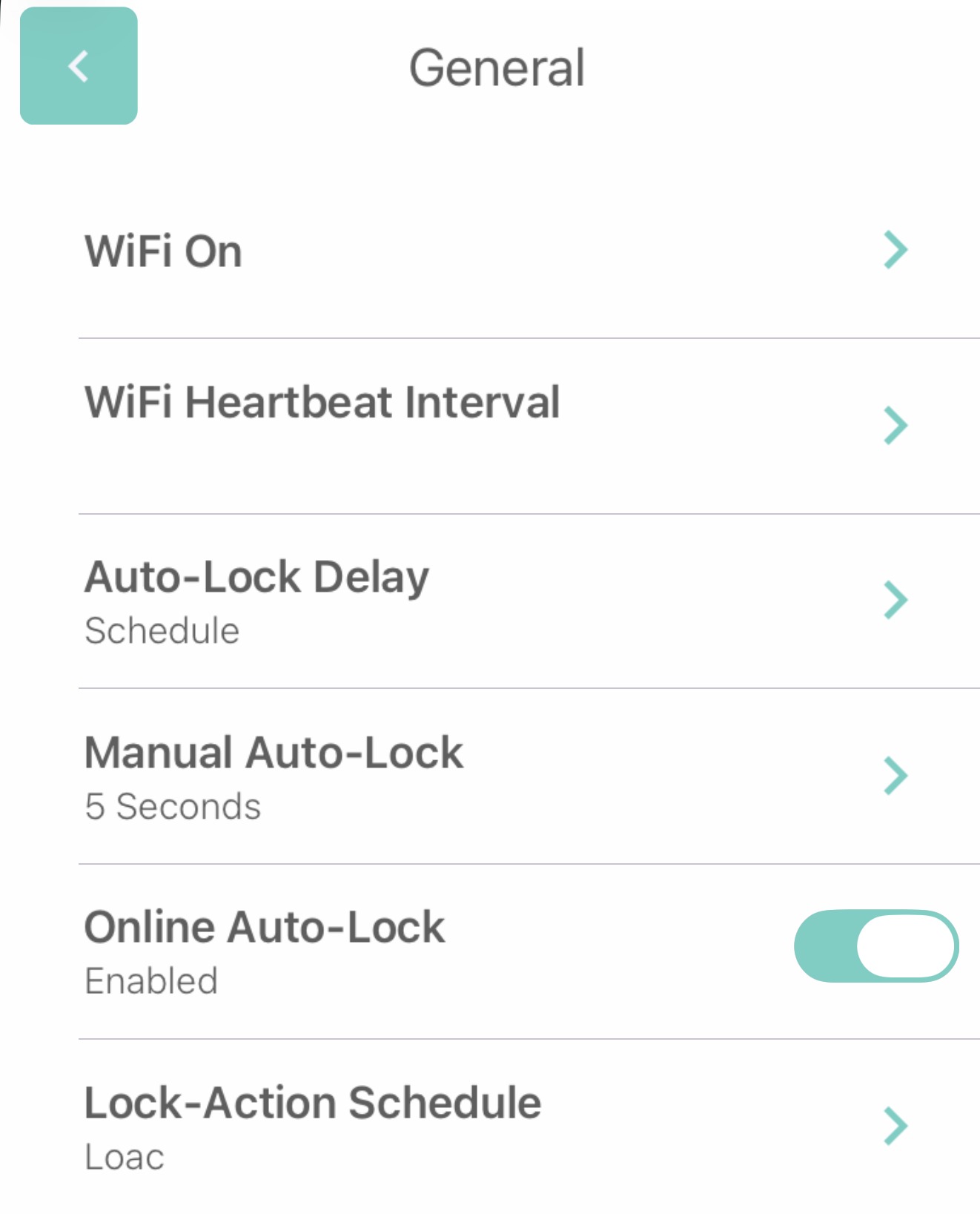
Users now have more control over auto‑lock behavior with new manual configuration options for the 3500 series. This allows for better alignment with specific workflows or site requirements.
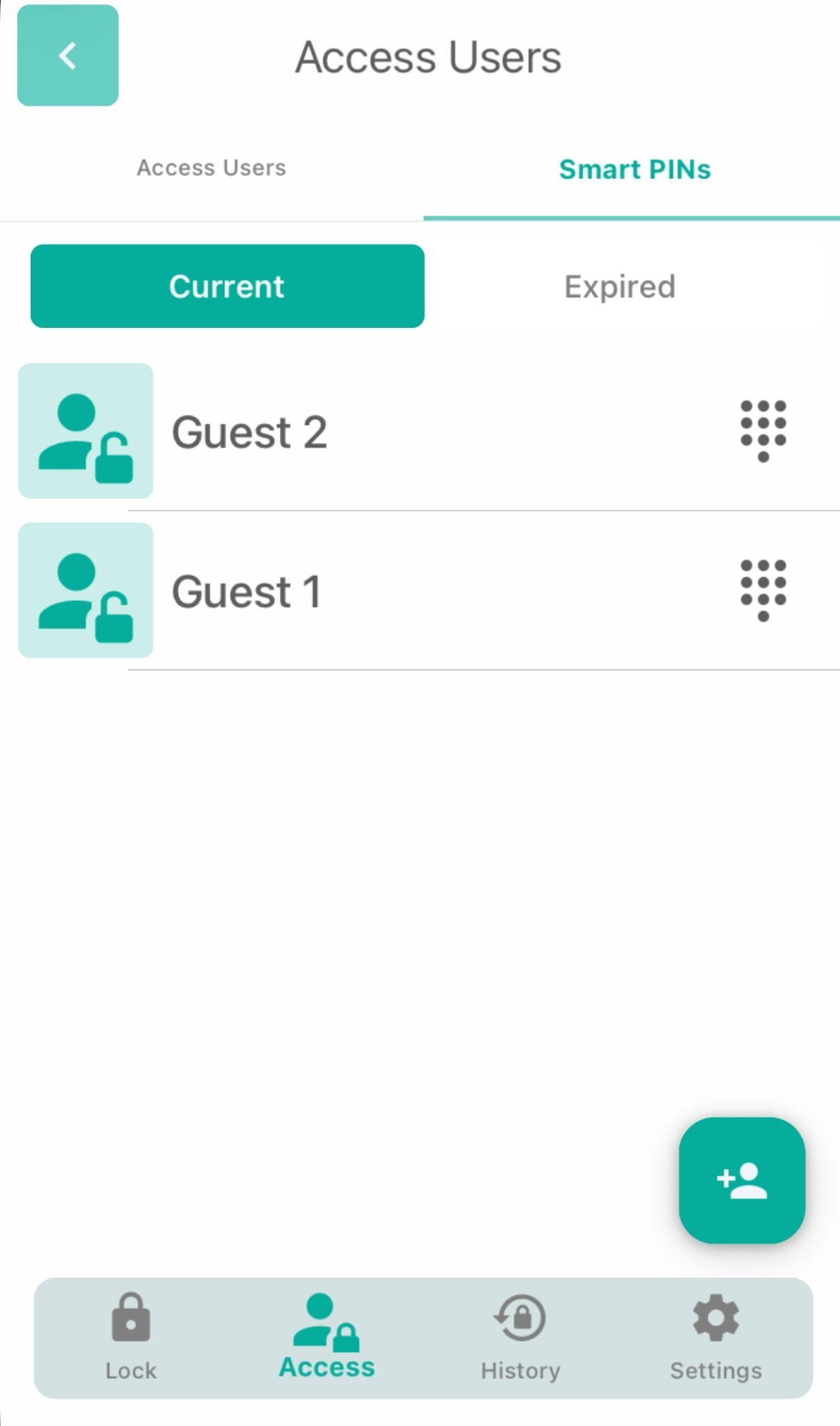
SmartPIN Tabs
SmartPINs are now organized into two clear views—Current and Expired—making it easier to manage and review access codes at a glance.
Improved Connectivity
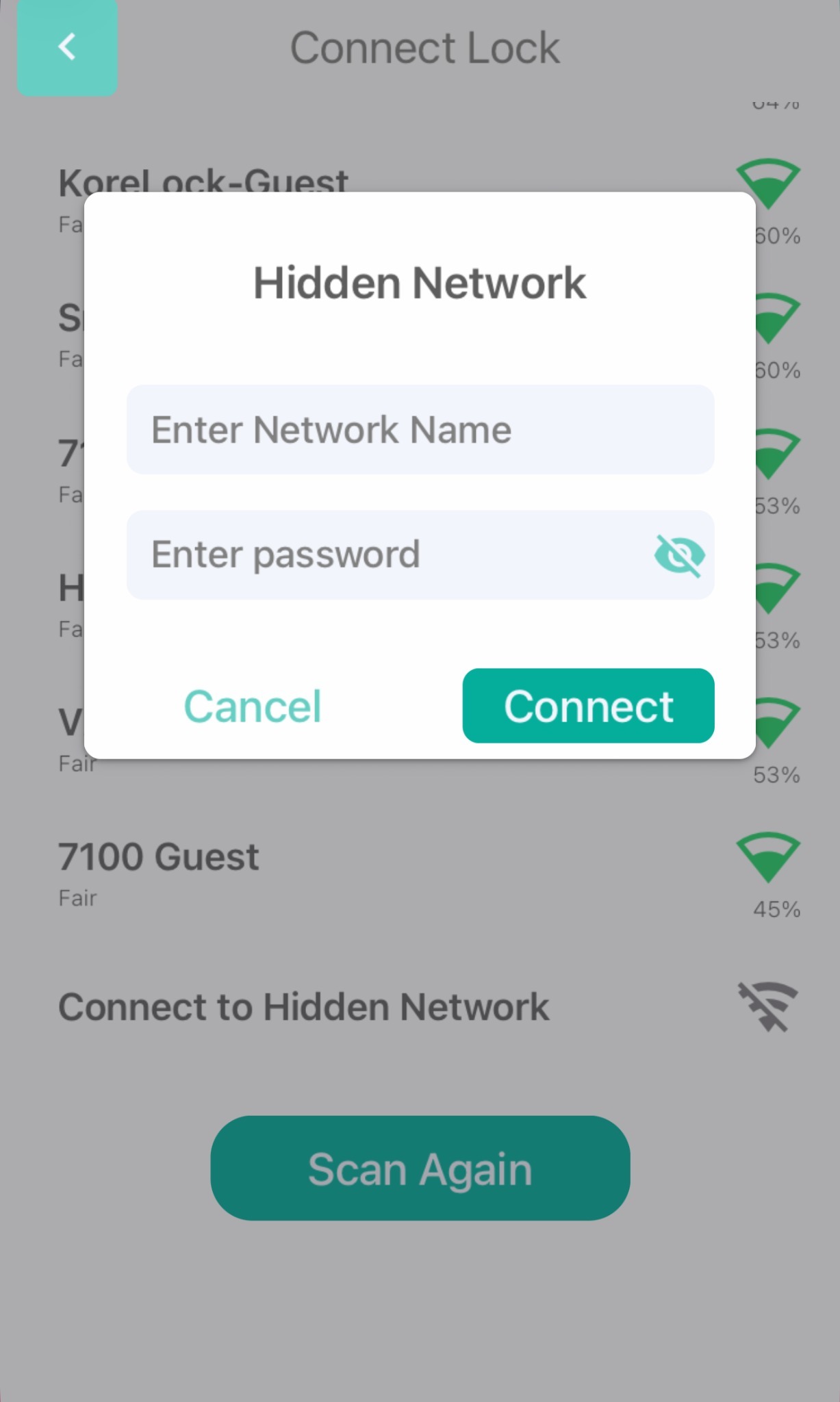 Hidden Networks Support
Devices can now connect more reliably to hidden SSIDs, improving compatibility with secure or specialized network setups.
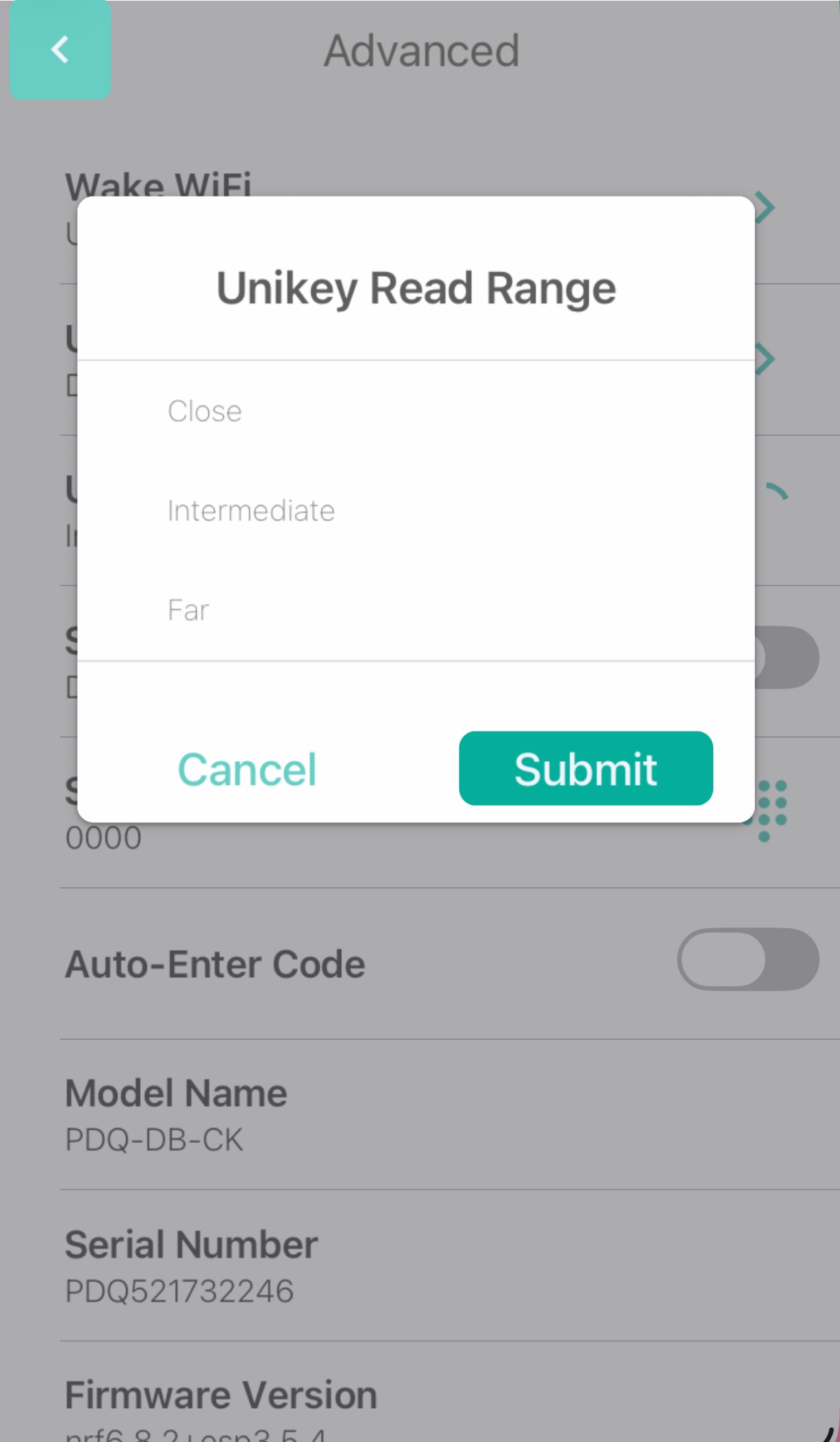 Unikey Mobile Key Read Range Updates
We’ve refined the default read‑range values to deliver more consistent performance across supported hardware.
Refined User Experience
Cleaner UI
The app interface has been polished for better clarity and smoother navigation. This update also includes a range of bug fixes to improve overall stability.
Updates to App Animation
Animations throughout the app have been refreshed to feel more responsive and modern.
Updates to Wi‑Fi Details Page
The Wi‑Fi details view has been reorganized for easier reading and quicker troubleshooting.
Was this article helpful?
That’s Great!
Thank you for your feedback
Sorry! We couldn't be helpful
Thank you for your feedback
Feedback sent
We appreciate your effort and will try to fix the article